Hire a Browser Extension Developer
I build custom browser extensions for Chrome and Edge, plus VS Code extensions that enhance developer workflows. From concept to Chrome Web Store publishing, I handle the complete lifecycle.
Custom Browser & VS Code Extension Development
Browser extensions are powerful tools that enhance how people interact with the web. Whether you need an internal productivity tool for your team, a SaaS companion extension, or a standalone product for the Chrome Web Store, I bring hands-on experience shipping real extensions used by thousands of users.
I have published extensions on both the Chrome Web Store and VS Code Marketplace, including SEO Spider Tools (available on Chrome and Edge) and NPM Manager for VS Code (1,400+ installs, 5-star rating). This means I understand not just the code, but the entire lifecycle — from architecture to store submission to ongoing maintenance.
What I Build
- Chrome and Edge extensions using Manifest V3
- VS Code extensions with custom commands, webview panels, and language support
- Content scripts for page modification and data extraction
- Popup and sidebar user interfaces
- Background service workers for persistent processing
- Cross-browser extensions from a single codebase
- Extension backends with user authentication and cloud sync
Technology Stack
Why Choose Me for Your Extension Project
Unlike general web developers who occasionally touch extensions, I have shipped real extensions to production stores. I understand the unique challenges — permission models, content security policies, cross-origin restrictions, store review processes, and the nuances of background vs content script communication. You get an experienced extension developer who has been through the full cycle multiple times.
Why Choose My Extension Development Services
Manifest V3 Expert
I build extensions using the latest Manifest V3 standard, ensuring compatibility with Chrome Web Store policies and future-proofing your extension.
Cross-Browser Support
One codebase that works across Chrome, Edge, and other Chromium-based browsers. Reach the widest possible audience with minimal additional effort.
Clean Architecture
Proper separation of background scripts, content scripts, and popup UI. Modular code that is easy to maintain, extend, and debug.
Store Publishing
Full support from development through Chrome Web Store and VS Code Marketplace submission, including icon design, screenshots, and listing optimization.
Privacy-First Design
Minimal permissions, clear privacy policies, and transparent data handling. Extensions that respect user privacy and pass store review quickly.
VS Code Extensions Too
Beyond browsers, I build VS Code extensions that enhance developer workflows with custom commands, sidebar panels, and language support.
My Development Process
From concept to Chrome Web Store — a proven workflow for shipping quality extensions.
Concept & Scoping
We define what your extension does, which APIs it needs, and what permissions are required. I map out the architecture and user experience flow.
UI/UX Design
Designing the popup, options page, and any sidebar or overlay interfaces. Clean, intuitive UI that follows platform design guidelines.
Core Development
Building the extension with proper background/content script separation, message passing, storage management, and API integrations.
Testing & QA
Thorough testing across Chrome and Edge, including permission edge cases, offline behavior, and performance under heavy usage.
Store Submission
Preparing store assets (icons, screenshots, descriptions), writing privacy policies, and managing the review process for approval.
Updates & Maintenance
Ongoing updates for browser API changes, user feedback implementation, and feature additions. Keeping your extension current and competitive.
Published Extensions
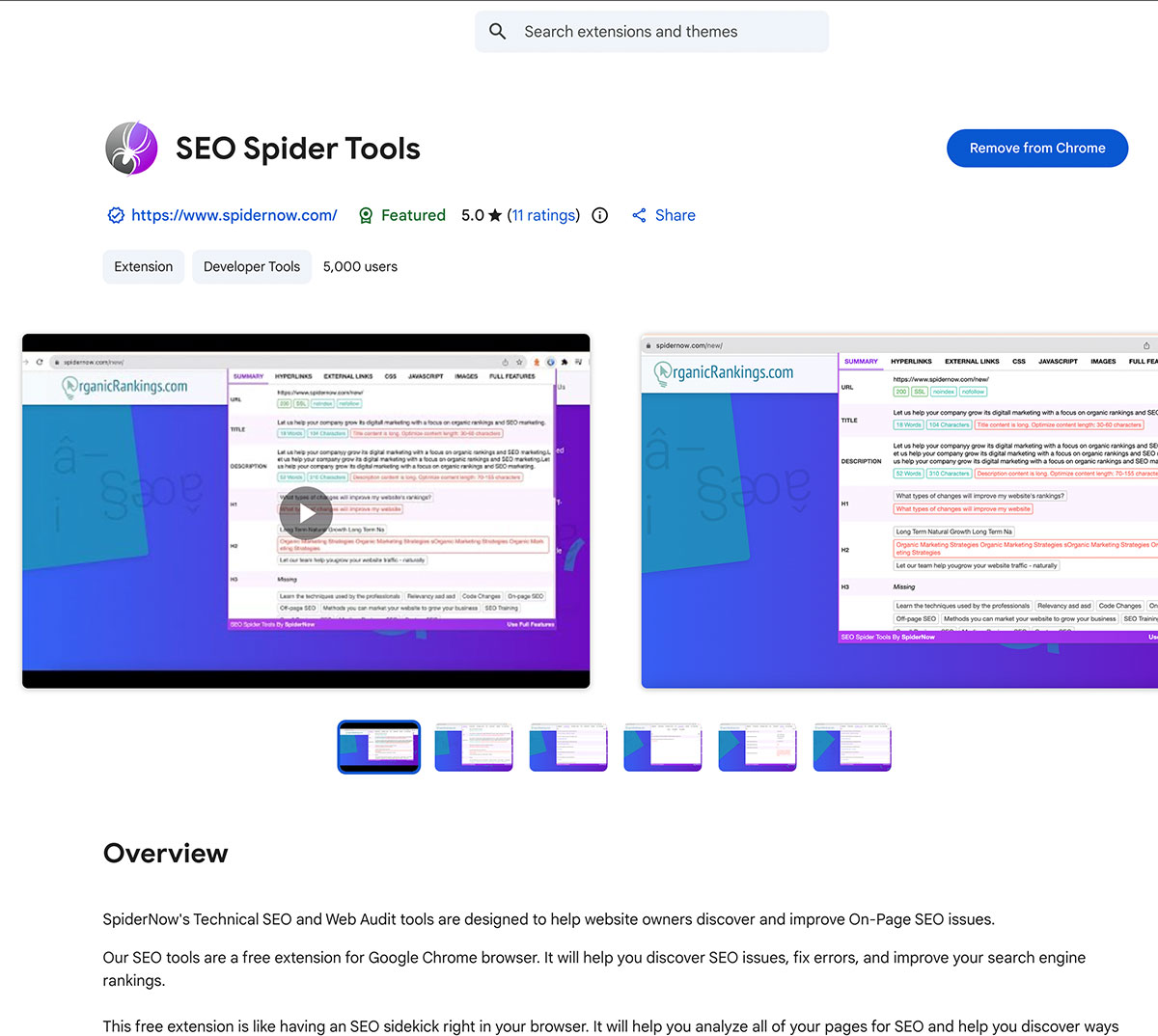
SEO Spider Tools
Browser extension for Chrome & Edge that analyzes on-page SEO data directly from the browser.
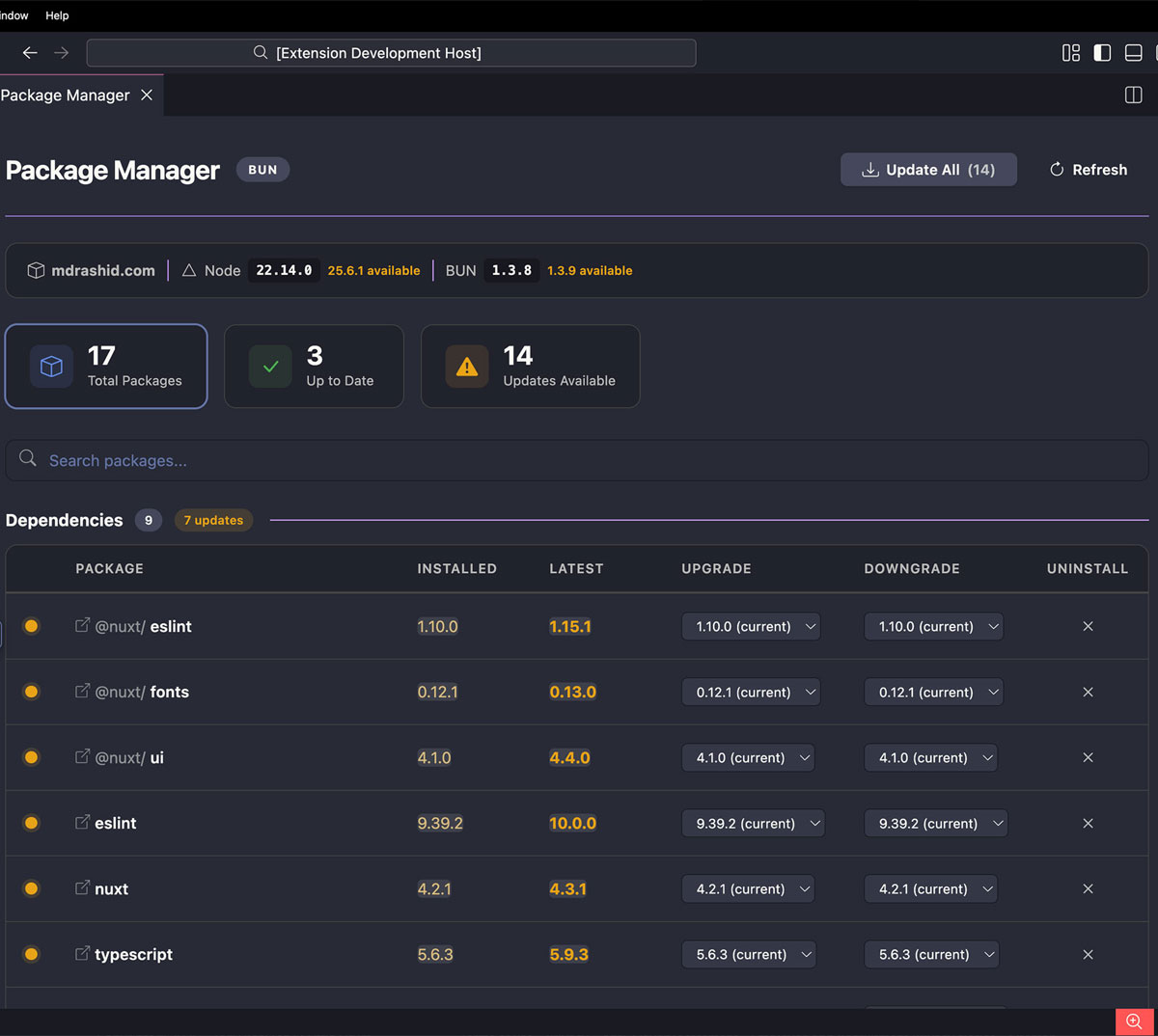
NPM Manager
VS Code extension with 1,400+ installs for managing project dependencies visually. 5-star rated.
Browser Extension Development FAQ
Ready to Build Your Browser Extension?
Let's discuss your extension idea and bring it to the Chrome Web Store.
Get a Free Consultation